
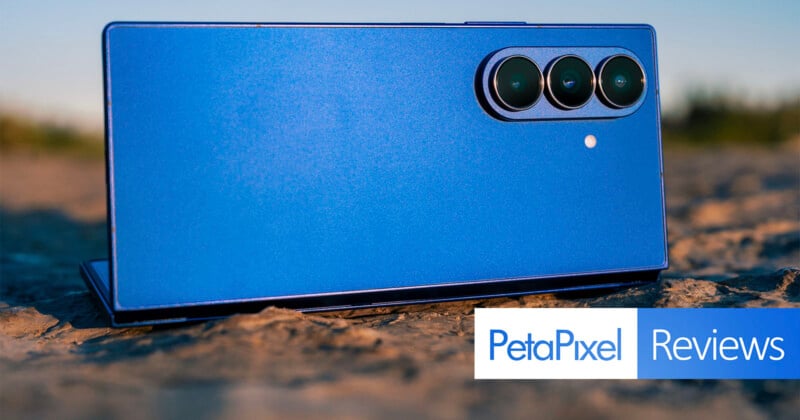
Foldable phones aren’t camera trend-setters because they get their camera components from other models. The Samsung Galaxy Z Fold 7 is no different in carrying on that pattern, only this time it’s actually rocking a flagship-level main wide-angle camera.
That’s a welcome sign from a brand that has otherwise paid little attention to the Fold’s imaging capabilities over several generations. The other big deal is how much thinner and lighter the Fold 7 turns out to be, marking the most dramatic hardware change for Samsung’s big foldable going back to the beginning in 2020.
For a device that starts at $2,000, these changes need to feel significant enough to warrant splurging that much. Results are arguably mixed, though it also depends on what you choose to prioritize most.
Samsung Galaxy Z Fold 7 Review: Design and Build
I won’t go over all the nuances of the design after addressing them in my hands-on coverage when Samsung launched the Galaxy Z Fold 7, but will go over the hardware shifts. Chopping off a quarter of the thickness makes a noticeable practical impact. I’m not one to dwell on petty arms races over how much thinner X company is over Y company when the discrepancy is negligible, such as it is when comparing the Fold 7 to the Honor Magic V5, for instance.

At 8.9mm while folded, this phone feels much closer to what a typical slab would be. Yes, the rear camera module protrudes quite a bit, but the body fits into a pocket much more easily than any other Fold model. Even if you put a case on it, the thinner profile remains easier to wield.

The design shift also means Samsung flattened it enough to increase the length and width for both screens. The 6.5-inch Cover Screen (2520 x 1080) is indeed more like a typical slab, as Samsung describes, primarily because of the 21:9 aspect ratio that widens it just enough. It’s still not perfect that way, especially compared to some other foldables, but at least it’s finally leaning in the right direction.
The larger 8-inch AMOLED main screen (2184 x 1968) also means more real estate to work with, though it’s still made with the same fingerprint-inducing glass as before. Functionally, it does the same things, so you’re mostly just benefiting from the extra space. The one thing you won’t be doing this time around is using the S Pen to write, doodle, or edit on it. Samsung all but pretends like it doesn’t matter, but we’re also only two years removed from it finding ways to accommodate the pen on its flagship Fold.

On the bright side, at least there are MagSafe-compatible cases available for the Fold 7. Samsung didn’t supply one to me for this review, so I didn’t get the chance to test out the use cases for it. The phone’s IP48 protection is decent, though the dust resistance worries me a little, mainly because of the crevices that run along the hinge. You could always rinse out any sand or debris that gets in there, except it’s hard to wipe the area dry, forcing you to leave it out to air dry the wet spots you might’ve missed.
Given Samsung’s reticence about malfunctioning batteries, it goes with a standard 4400mAh battery here — one not made from silicon-carbon to increase the energy density within the limited space available. As such, battery life isn’t going to be all that great over time.
Otherwise, internals look good with the Snapdragon 8 Elite processor, 16GB of RAM and storage tiers (256GB, 512GB, 1TB).
Samsung Galaxy Z Fold 7 Review: Camera Features
The most notable change comes with the 200-megapixel Isocell HP2 image sensor — the same one Samsung uses for the Galaxy S25 Ultra and S25 Edge. The Type 1/1.3-inch sensor and 23mm equivalent with f/1.7 aperture is a welcome addition to shake up the Fold lineup’s enduring stagnation in this area.
To put this in context, the last time Samsung changed the main camera was in the Fold 4 in 2022. In this case, it chose to use the same flagship-level camera as two of its other premium phones, helping make the case that this foldable is worthy of better photos to match the hefty price tag. However, that also means it inherits the same strengths and weaknesses, which I’ll get to further down.
The rest of the rear camera system is made up of recyclables. The 10-megapixel telephoto (69mm equivalent) Isocell 3K1 Type 1/3.94-inch sensor with f/2.4 aperture has been in service in this lineup going back to the Fold 4. I initially erred in noting the 12-megapixel ultra-wide (13mm equivalent) was using Samsung’s Isocell 3LU Type 1/3.94-inch sensor when, in fact, it’s actually using the Sony IMX564. That would explain why it now has autofocus and macro capabilities. The two familiar 10-megapixel selfie cameras both use the Sony IMX374 sensor.
Software Features
The camera app doesn’t really offer much in the way of surprises. Unless you select 50MP or 200MP on the main camera, all other photos are pixel-binned 12.5-megapixel shots. Expert RAW also gives you a 24MP option, maxing out at 50 megapixels if you want the extra resolution (ideally under good lighting).

Most of Samsung’s resources fall into its Galaxy AI suite of tools and features. We already know what they are from Samsung’s other devices, but with a bigger screen they become bigger and more noticeable. For example, you can use Drawing Assist to turn a photo into a drawing or other work of art based on how the AI interprets it. Since it doesn’t do people, any photos of humans will result in art that excludes them. The AI isn’t quite there yet, apparently. One neat thing about using this feature is that it can take an out-of-focus photo and turn it into a usable piece of art, like the dog above.

Photo Assist and other AI-driven editing tools are readily available in the Gallery app’s own editing toolkit. It’s actually quite robust and varied in that it includes preset filters you can adjust with sliders for color temperature, contrast, saturation, and film grain. Another section gives you object eraser, lasso, spot color, color mix, and style settings. Color mix is basic by editing standards, but is a neat way to hone in on a color and adjust its hue, saturation, and luminance. Spot color lets you apply color to anything in the image while leaving the rest black and white. Style enables you to turn the photo into art with a slider to adjust the effect’s potency.
Then there’s Google Gemini, which is fast rendering Samsung’s own Bixby completely irrelevant (if it wasn’t already). Take a photo (or reference one in your Gallery or online), hold down the power button, and Gemini will ask if you want to share your screen or ask about what’s on it. You can either type in or voice your query, and it will answer to the best of its ability. While this feature isn’t exclusive to the Fold 7, it illustrates how AI can be part of the mobile photography experience in different ways.

To test this further, I asked it for advice on how to take better photos under certain conditions. It can answer such questions with a fair bit of detail, though heavy on generalities and light on specifics. Dig deeper with more specific questions and its answers try to do the same. For example, with a photo of a running dog on my screen, I asked it how I could take pictures like it on the Fold 7 and it suggested shooting in burst or using Pro or Motion Photo as the best methods, along with tips on ideal conditions.
Again, while not exclusive to this device, I like the integration, especially since the Gemini app saves every query so you can reference it later.
Samsung Galaxy Z Fold 7 Review: Image Quality
Main Camera
I have to admit, I’m conflicted on the main camera’s overall performance. Photos are better than they were in previous models, only I’m not always convinced the chasm is all that substantial in some cases. Granted, I pushed it as far as I could to gauge its capabilities, and since I knew what to expect from the S25 Ultra and S25 Edge, I didn’t go in expecting any major differences from those two, in particular.
Samsung continues to moderate its imaging pipeline to reduce past processing excesses, which includes going for more natural colors and tones. I like the premise, but I’m not always sure it does right by the scene my eyes are looking at. Not surprisingly, the main camera can capture excellent results in daytime environments that are pretty true to life. Just don’t be surprised if you feel you need to pop the colors a little in post afterward.


The dynamic range is good, particularly when it has lighting to read from. This is why a low-light scene that’s decently lit can pull out solid detail, just as a sunset can do the same. I find it a better idea to shoot some bright daylight images with the higher 50MP or 200MP resolutions to better adjust some of the finer details in post later on.

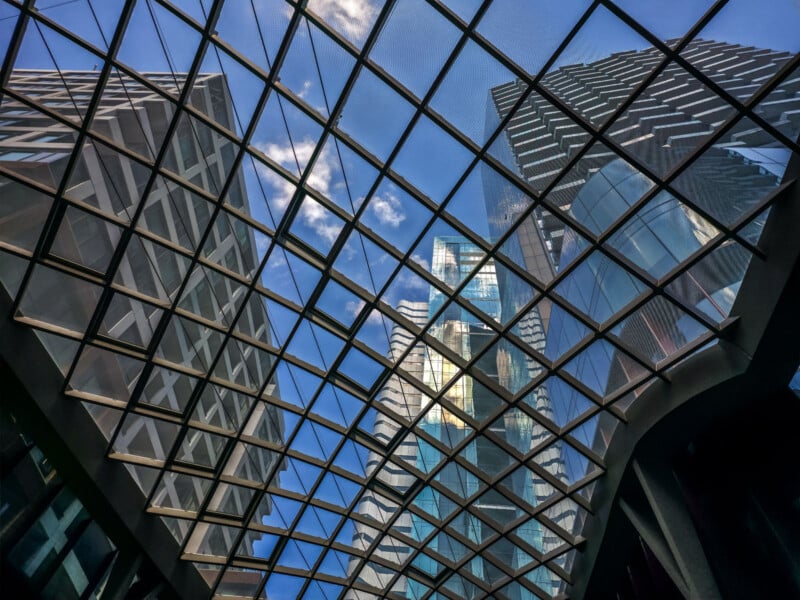
As I always say, foldables enable unique viewing angles and perspectives that are harder to frame well with slab phones. That’s no different here, but like other Samsung phones, the Fold 7 is very unreliable when capturing action scenes. Gemini’s advice is already something I know but those modes aren’t always practical solutions.

For instance, it’s great that Pro mode and Expert RAW let me adjust the shutter speed but it’s often pointless indoors if I have to also ramp up ISO and introduce lots of noise to simply illuminate the scene. Plus, it won’t let me shoot in burst in spite of the faster shutter. Motion Photo is fine in principle, but its strength lies in capturing an unanticipated movement. When you know what you want to capture, there’s not much recourse here beyond burst. The photo of the running dogs is a good example of that. I can think of a handful of other devices (including foldables) that could have frozen them in place.
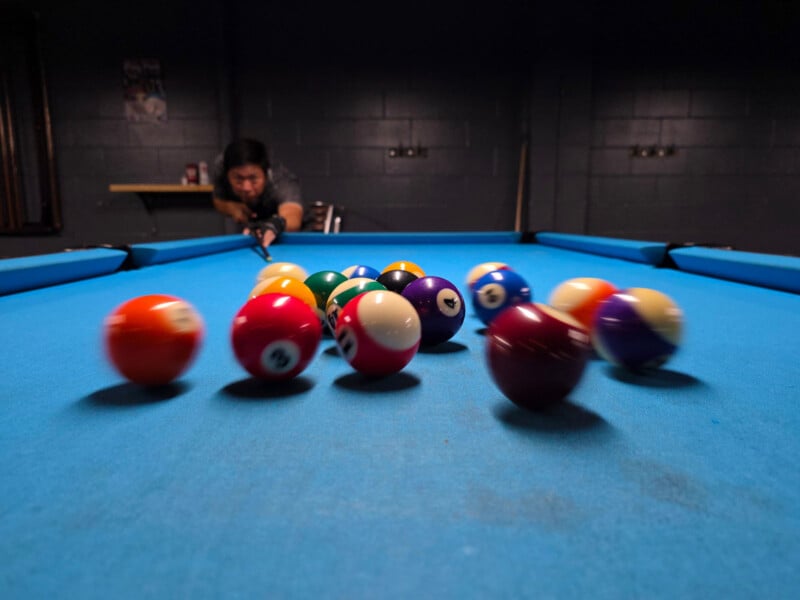
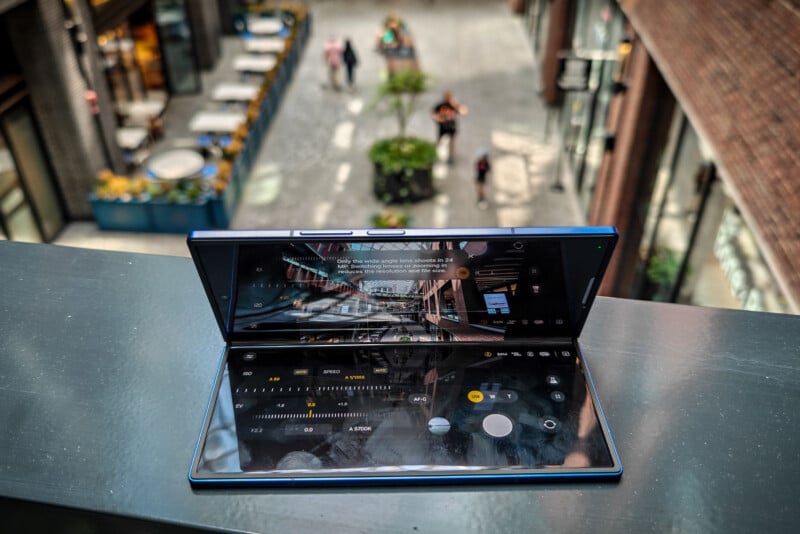
This is a real shame because the Fold 7’s very own design is ideal for action photography. Need stability? Find a flat surface to lay it down. Want a cool angle? Lay it down somewhere and tilt it any which way.
Another part of the problem is Samsung still can’t seem to figure out how to cut down shutter lag. It still takes too long to capture the average photo, probably owing to the extensive imaging pipeline at work. Still, if others can figure it out, there’s no reason Samsung can’t.
Ultra-Wide and Telephoto
Recycling old parts can keep something going without doing much to affect the ultimate outcome. That’s these two lenses in a nutshell. The telephoto not only shows its age, but I would argue it’s mostly a one-trick pony. Use it in good daylight conditions and you should be fine, but any dimming — outside or inside — will inexorably tax it to poor output. At its default 69mm range (3x zoom), it manages to eke out decent results, though it’s often a case of good from far, far from good. As soon as you start pixel peeping, bleeding pixels become obvious.


This is such a downer when looking at how other phones using Samsung’s very own Isocell HP3 sensor for their telephoto cameras produce such outstanding results. Granted, it’s not all on the sensor, but Samsung could’ve made a statement by utilizing it in this phone. Try a 10x hybrid zoom (or longer), and the results look grainy, pixelated, and deficient in color. In low-light settings, the feature is all but useless. As is, expect a mixed bag that won’t move the needle at all in what foldables can do from longer range.

For the ultra-wide, bringing in autofocus is a welcome change, and it helps deliver better results than past Folds. It also helps compose photos from very different angles that can apply focus to a subject closer or further away to add depth that was previously lacking. I didn’t get to use it as much in my testing because there weren’t too many interesting subjects to try it on but the photos I did get were more impressive than I expected.
Video Features
Video recording is another feature that seems ideally suited for a phone that folds and tilts like the Fold 7 does. You get a nice set of tools to work with, including the option to record at up to 8K at 30fps with the main camera. Or, you could do 4K at 30 or 60fps on the other two cameras. If you want 24fps, you’ll need to use Pro Video mode for that. That’s also where you’ll find more pro options, like 10-bit HDR, which is now the default setting, and the other manual settings already available in the Pro photo mode.
Additionally, Samsung’s Audio Eraser is there if you want to muffle or play around with background noise, be it crowd, noise, speech, music, wind, or nature.
Samsung Galaxy Z Fold 7 Review: Still Requires a Bigger Step Forward
Any phone that starts at $2,000 deserves additional scrutiny, even if the cameras aren’t the main draw. The Galaxy Z Fold 7 is as pricey a proposition as any smartphone can currently be. And while Samsung finally — finally — chose to throw customers a bone with a worthy main camera, it’s let down by both inconsistent processing and a very mediocre telephoto camera. You could argue shooting at 200-megapixels helps shore that up but the resolution only works best in the very same conditions the telephoto does well in. There’s a gap here that’s hard for any mobile photographer to reconcile.

It’s high time Samsung realize it has a solid foundation of shooting modes and editing framework in this phone, yet lacks versatility in some key areas. Its total ignorance toward action photography seems shockingly aloof for a brand that pushed so many experimental photography features over the years. When people feel like they can’t take good photos of their active children (as I’ve personally heard), you’ve got to address that in a meaningful way.
Despite all that, the Fold 7 is capable of taking good photos. It just requires a little more work before or after capturing the image than competing models. I get the old argument that “nobody buys a Fold for the cameras” but I’m not convinced that camera output doesn’t matter.
Are There Alternatives?
Competition will continue to expand as choices do, even though some of the best options aren’t as readily available in North America. We can expect Google to launch a new Pixel Fold in the near term, while Apple is rumored to be working on a foldable of its own. Whether that comes out in 2025 or not remains to be seen as of this review, but if or when it does happen, it’s likely to ignite renewed interest in foldables.
Hailing from other markets, the Oppo Find N5 keeps receiving accolades for its design and performance. The Honor Magic V3 was a superb device, which stands to only get better with the new Magic V5 that I’ll be reviewing here soon. Same with the Vivo X Fold 5 as a successor to the excellent X Fold 3 — one of the best foldables I’ve seen to date. And while almost two years old now, the OnePlus Open remains a viable choice for less money.
Should You Buy It?
Maybe. At least not if you’re looking for something to capture fast action or with a reliable telephoto lens. Other foldables are available that do both better, even if you have to import them from somewhere else.