
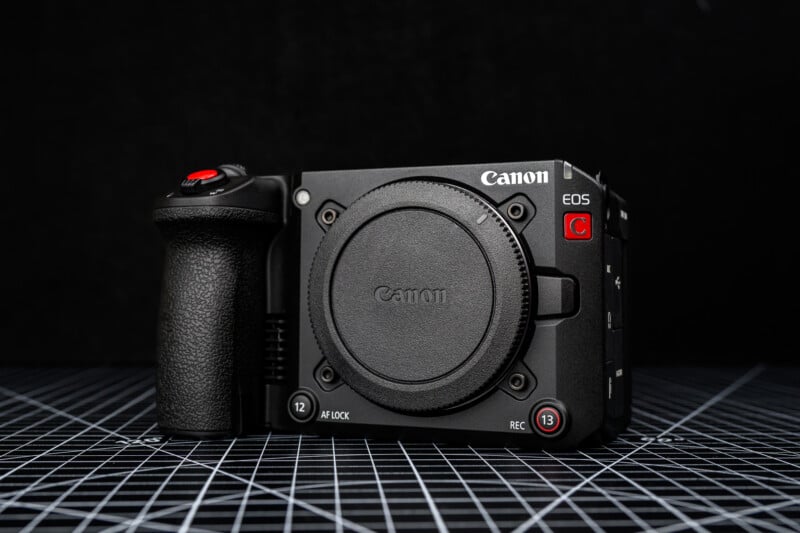
Since the Canon Cinema series was started over a decade ago, the cameras have targeted professional users in film and television, leading to large, expensive bodies that appealed to a small group of users. That changed with the release of the new $3,899 Canon C50, which is the smallest, most affordable and possibly most exciting camera yet related in this line. Or does it?
The C50 also arrives at an interesting time where the Sony FX3 has proven extremely popular (but is due for an update), and Nikon has entered the cinema space with its shockingly affordable ZR. How does the C50 perform and can it compete?
Canon EOS C50 Review: How It Feels
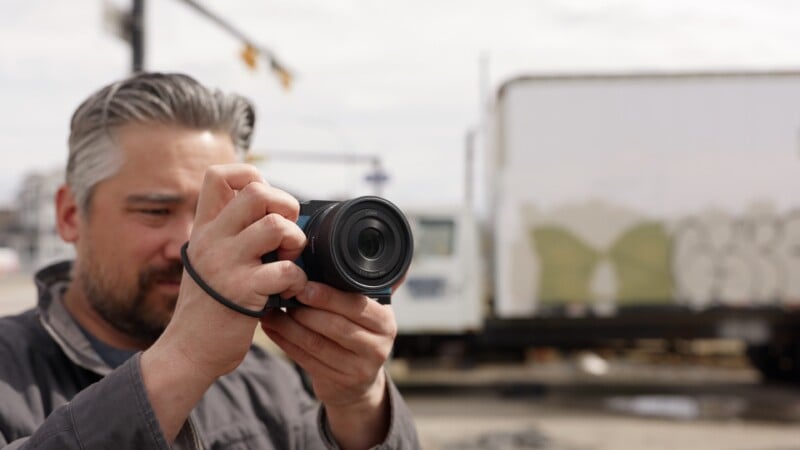
The compact, boxy body is a surprisingly light 665 grams (one pound) on its own and 1,105 grams (2.43 pounds) with the included XLR adaptor attached. In the hand it feels like a professional hybrid mirrorless camera, largely owing to the large, comfortable grip not found in the Nikon and Sony alternatives. The body boasts five 1/4-inch mounting points for easily connecting a cage or accessories, and a full complement of ports: full size HDMI, USB-C, 3.5mm mic and headphone jacks, and a locking Mini SDI for time code.


On top of the body is the power/photo/video switch. Like the older R5C, this camera is covered in custom buttons with dual functions clearly labelled, one when the camera is in video mode, another when it is in photo mode. I love this design as opposed to a bunch of unlabelled custom buttons whose purpose can be easily forgotten, or an overabundance of separate controls for photo and video. This thoughtfulness extends to the menus and interface, which are entirely separate whether you are capturing stills or motion.

For monitoring your footage, the body does not have an EVF, only a fully articulating three-inch 1.62M dot (900 x 600 pixels) LCD. This is fine for framing, but I would have loved a larger, brighter display at this price. I would generally attach an external monitor for an improved viewing experience, which would greatly undermine the appeal of such a small and light camera.

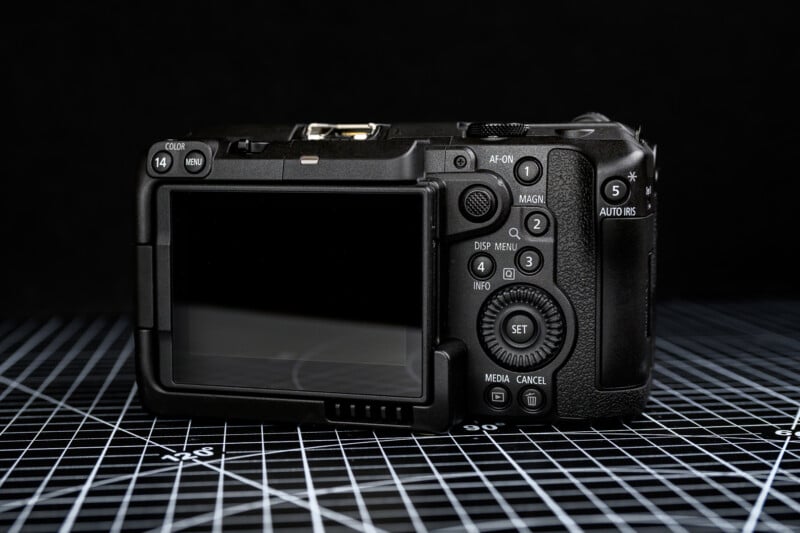
This camera uses the new LP-E6P battery introduced with the R5 II last year. Battery life will greatly vary depending on record modes and ambient temperature, but I was generally able to get around an hour of run time shooting 10-bit footage in a variety of frame rates. Remember, if you have a bunch of older LP-E6 batteries lying around, they can be used, although some recording modes and lens functionality may be unavailable.

For recording the most demanding modes, the C50 has a CFexpress Type B slot. There is a secondary UHS-II SD card slot as well, which can record master or backups of most 10-bit formats, proxies or photos. I greatly appreciate that storage can be accessed from the side of the body, so quick release plates will not have to be removed to access the media.

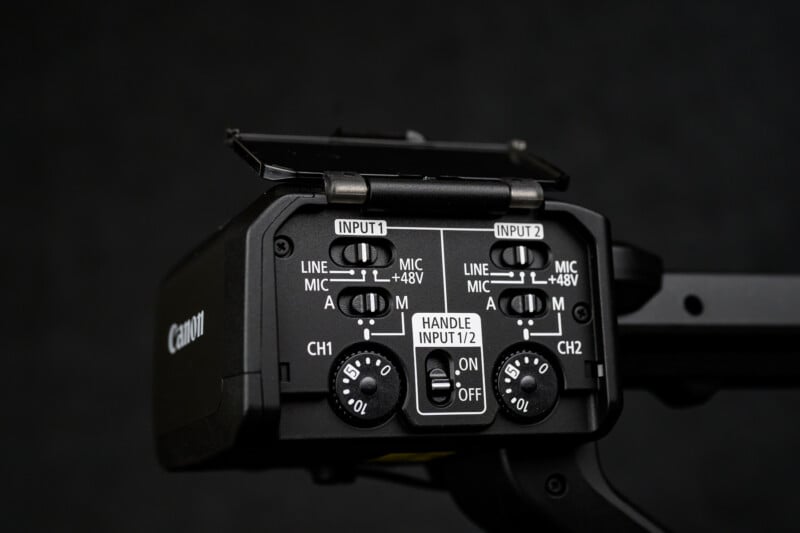
With the included XLR handle attached, you will have access to two more 1/4-inch mounting points, as well as a cold shoe. This permits the use of two XLR microphones with simple, well organized controls. The XLR handle is mounted to the hot shoe, but then locked down securely with two bolts to the top of the C50, giving it a wonderfully secure feeling when filming low angle shots.
Canon EOS C50 Review: How It Shoots
The video and photos are captured by a brand new 32 megapixel full frame sensor. While not the fastest sensor in its class, it easily outperforms the similarly-sized 33 megapixel Sony FX2 for readout speed. Full width, oversampled 4K video can be captured up to 60p, and Open Gate 3:2 7K can be produced up to 30p. With a 16:9 readout speed of around 15 milliseconds, rolling shutter artifacts can occasionally be seen, but will rarely be obtrusive. Photos can be captured in Raw and JPEG at full resolution, though only with an electronic shutter and with no potential for flash sync.


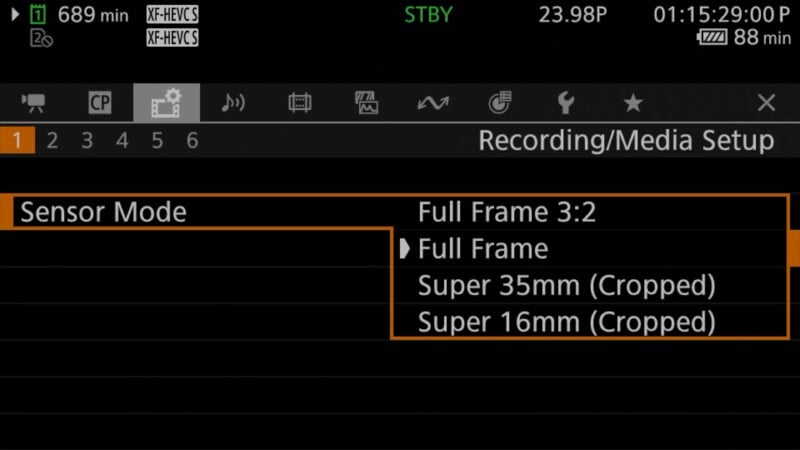
Video can be recorded to a wide variety of formats and crop modes. The C50 allows 7K C-RAW video to be captured up to 60p with three compression levels. As well, 10-Bit 4:2:2 can be recorded in H.265 compression, or H.264 with IPB or ALL-I compression. Basically, the C50 has a recording option to suit most post-production situations. For frame sizes, the camera supports open gate 3:2 full width, 16:9 full width, a Super 35mm crop, and even a Super 16mm crop, ensuring compatibility with nearly all lenses. An anamorphic de-squeeze option is also available, further expanding the variety of optics the C50 can accept.

With such high-end recording options, I was initially concerned that the C50’s thermal performance could be an issue. Thankfully, there is a fan built in which can throttle automatically, or you can dial in the strength in situations where fan noise could be problematic. However, even on a bright warm day, the fan was never loud enough to be detected by anything other than the internal microphone.
Assist tools are full featured, with support for waveforms, false color, and vector scopes to assist in setting exposure and white balance. Shutter speeds can also be set with shutter angle, allowing a consistency of motion blur when changing frame rates. Thankfully, all of the assist tools remain on screen even when recording unlike many Canon mirrorless cameras. As well, custom LUTs can be used to help pre-visualize what the graded image will look like.

At this point, the C50 feature set sounds a lot like the larger, more expensive C80, but one way Canon has scaled this camera back is the lack of built-in ND filters. A matte box or screw in filters will need to be utilized to control light in bright situations, which can certainly add bulk and slow down your shoot.

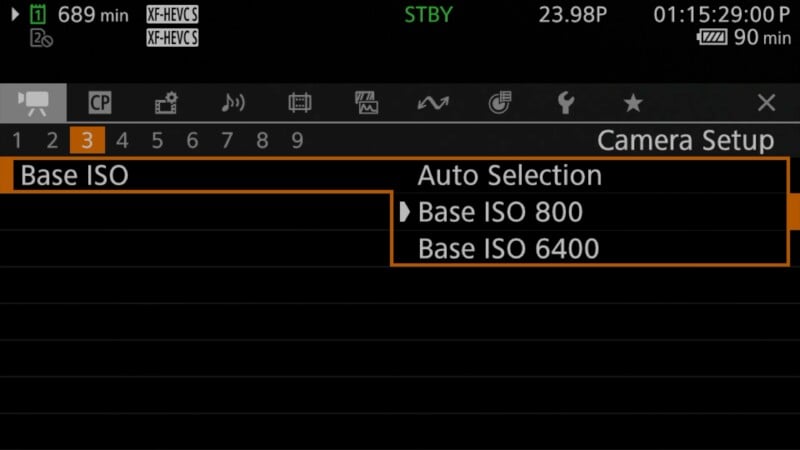
Picture quality when recording most modes is outstanding, with sharp details and minimal noise. This is a dual gain sensor, with the native ISOs in C-Log2 and C-Raw being 800 and 6400 ISO. There is a massive drop in noise when going from 5000 ISO to 6400, so I recommend shooting at 6400 in low light situations, rather than shooting 4000 and 5000 ISO.

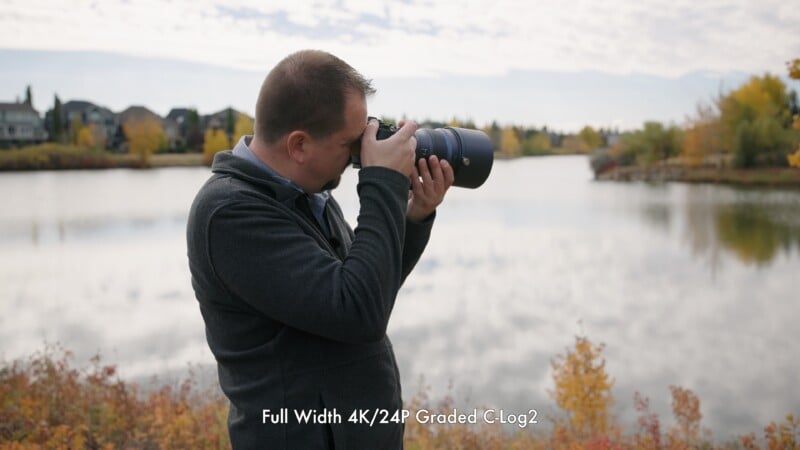
While C-Log and C-Log 3 are available to match with other cameras for log recording, C-Log 2 offers the largest dynamic range. This profile could easily handle the contrast on a bright day, and footage was an absolute pleasure to grade.
One major disappointment for me was the implementation of 4K/120p. This mode is no longer oversampled, which makes sense given the sensor’s readout speed. However, this leads to a dramatic loss in resolution and low light performance compared to the slower frame rates, but this is fairly normal in this class of camera. What was more aggravating is that punch in focus is disabled in this mode, making it difficult to confirm focus when setting up a shot. Autofocus, and peaking are still available, but still less reliable. Furthermore, 4K/120p is only available with “Slow and Quick” mode, meaning no audio is recorded when shooting extreme slow motion.

Autofocus is substantially improved over previous Canon Cinema cameras, which lacked some of the autofocus modes found in the EOS mirrorless cameras. The most noticeable of these was Animal Detection, and that has thankfully been rectified in this model. Vehicle Detection still remains restricted to the photo mode though. Above this feature though, I consistently found the C50’s autofocus to be more consistent and accurate than previous C series, sticking well to the chosen subject and not hunting for new subjects in the background, something previous models were guilty of. I consider Sony’s video autofocus to be the gold standard, but the C50 puts Canon on the same pedestal.

One major point of contention with all of Canon’s cinema bodies is the lack of IBIS (In-Body Image Stabilization). This certainly made sense with the large C300 and C500 series bodies, but I do think it will be missed with this more approachable body, especially considering its size and price. Sure, digital stabilization is included with quite effective “Standard” and “High” modes, but these incur a crop and can have odd blurry frames. The camera’s gyro data can be recorded for more sophisticated stabilization in post, but I still find the lack of IBIS to be a massive drawback not just for handheld work, but even when using a monopod.

The Canon C50 Is a Solid Camera Despite Some Limitations
As long as its limitations are well understood, the Canon C50 gives users an intuitive shooting experience and can produce gorgeous footage. It makes a lot of sense in Canon’s Cinema lineup, but it doesn’t exist in a vacuum, so let’s see how it stacks up.

Are There Alternatives?
The C50 is currently offered at a similar price to the more stills focused $4,300 Canon R5 Mark II. The C50 offers a more video focused interface, sharper 4K/60P, open gate video and the XLR handle. However, the R5 II includes the EVF and IBIS many will find missing on the C50. In the studio and on set, I’d take the C50. In the field, I’d go R5 II

The $4,300 FX3 is Sony’s extremely popular compact video camera creators. It also features a video focused design with an intuitive interface and many mounting points, as well as the IBIS the Canon lacks. That said, Sony’s video stabilization in this generation of camera is not terribly effective, and the FX3A does not feature Sony’s latest autofocus advancements. The Canon offers open gate recording, sharper oversampled footage and internal Raw video recording. If forced to choose, the Canon is the more comprehensive package for a bit less money.
Things get really interesting with the $3,200 Panasonic Lumix S1 II, which features a lower resolution partially stacked sensor. The S1 II features a fan, nearly all the record modes of the C50, alongside an EVF and class leading image stabilization. I would say that the C50s autofocus is more reliable and the inclusion of an XLR helps its value proposition, but the S1 II is a more versatile camera.
Finally, the $2,200 Nikon ZR was launched at nearly the same time as the C50 and offers comparable specs. Nikon offers a wider array of Raw video formats, effective IBIS and a more versatile lens mount. The Canon C50’s better autofocus and XLR still make a great case for it, but the ZR certainly makes Canon’s offering look significantly overpriced.
Should You Buy It?
Yes. If you can take advantage of the C50s advanced recording modes and live within its limitations, it will reward you with a great shooting experience and outstanding footage.