
The Chinese tech industry is a colossus, but there is a distinct lack of access to many of the more interesting options in North America. While Chinese lens designs are fairly common in North America, we are largely ignorant of the mobile phone options, as they are so rarely available.
Xiaomi is a huge tech company making everything from home electronics and appliances to EV vehicles, and of course, smartphones. It recently announced a flagship phone called the 17 Ultra that is now being released internationally, and they invited Jaron Schneider and me to get a hands-on experience with it in inland China.
Full Disclosure: Xiaomi provided travel accommodations for the purposes of hands-on time with the Xiaomi 17 Ultra, but did not pay for coverage and was not provided early access to PetaPixel’s findings: Xiaomi is reading this review at the same time as everyone else. As always, PetaPixel’s opinions in reviews are its own.
Not only have I always wanted to see China first hand, but I was also intrigued by the concept of capturing my trip on a smartphone with a large Type 1 sensor and integrated grip. I know that there is nothing new about this technology, at least in the rest of the world, but it is almost unheard of to see larger sensors in North American smartphones. Likewise, accessory grips tend to be a very boutique purchase from third-party manufacturers.
The Xiaomi 17 Ultra is a powerful flagship phone running an Android-based OS, driven by a Snapdragon 8 Elite processor. The models we were provided for testing were international versions with full support for all the usual Google-based apps as well as both physical and electronic SIM cards. As nice as the phone aspect is, I intended to test this product strictly as a camera, albeit one with the convenience of an attached smartphone, so to speak.
Xiaomi 17 Ultra Review: How It Feels
I hate using a smartphone as a camera most of the time. I pretty much use it the way most people do, capturing little else beyond the occasional family photo or preserved memory. Obviously, when I review one, I shoot it extensively, but I never really enjoy the actual using aspect, finding the ergonomics and poor camera UI on most phones to sap any fun out of the experience.
Many manufacturers have tried to make dedicated camera buttons or repositionable shutter buttons, but I haven’t found a user interface that works well.
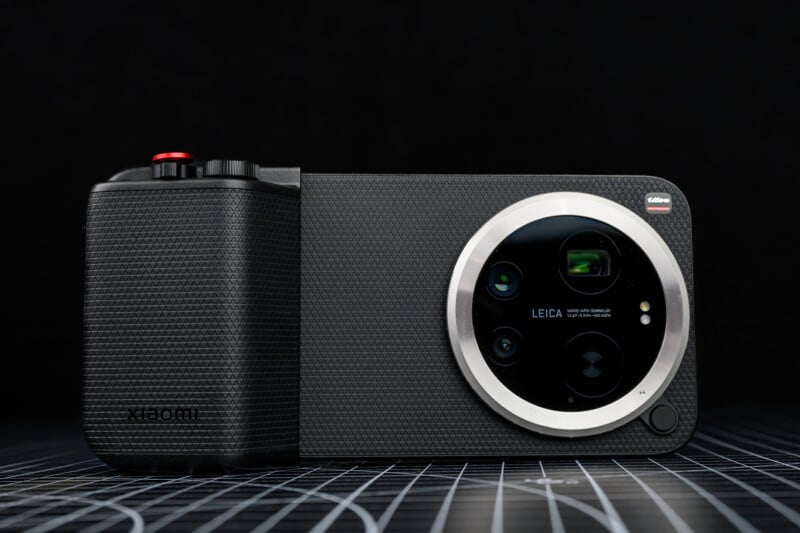
Therefore, when I first started using the Xiaomi 17 Ultra, I realized this review was going to be a lot about the optional grip that Xiaomi makes as much as it would be about the phone itself. Without the grip, the Xiaomi 17 Ultra is plagued by the same issues that frustrate me with any other smartphone experience — maybe even more so because it lacks a dedicated shutter button altogether, so you are back to using one of the volume buttons instead or touching the screen.
Xiaomi does make a rather slick and slim case that provides a simple shutter button control, but I found the much more fully featured grip to be far more useful.
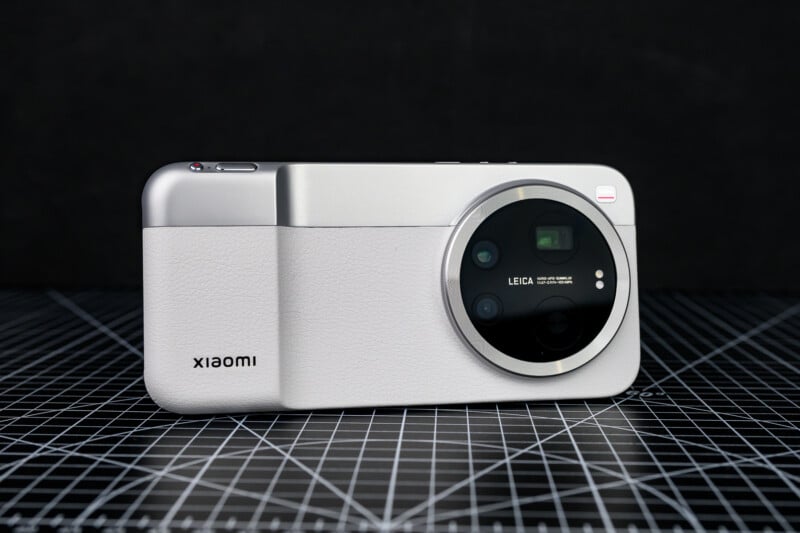
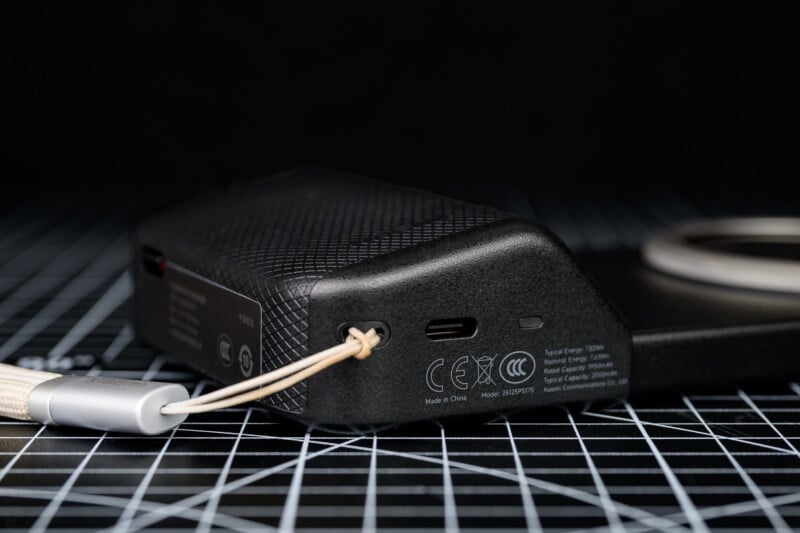
The Xiaomi professional grip, which was made mainly for the Leitz Phone variant of the 17 Ultra but works just fine with the model we reviewed, has a nicely contoured handle that is very comfortable to hold alongside my body. There is a strap lug that I placed a slimmer wrist strap on (instead of the supplied strap that ships with the case, as I found it to be a bit too bulky; Jaron had no such complaint) and a USB-C port for charging purposes.
Unfortunately, this USB port does not currently support any data transfer, so the grip has to be removed to download images or use microphones. That said, the grip also provides an additional 2,000 mAh of battery life to add to the already impressive 6,000 mAh in the phone itself. On a full charge, I would rarely go below 80 or 90 percent battery after a full day of shooting.
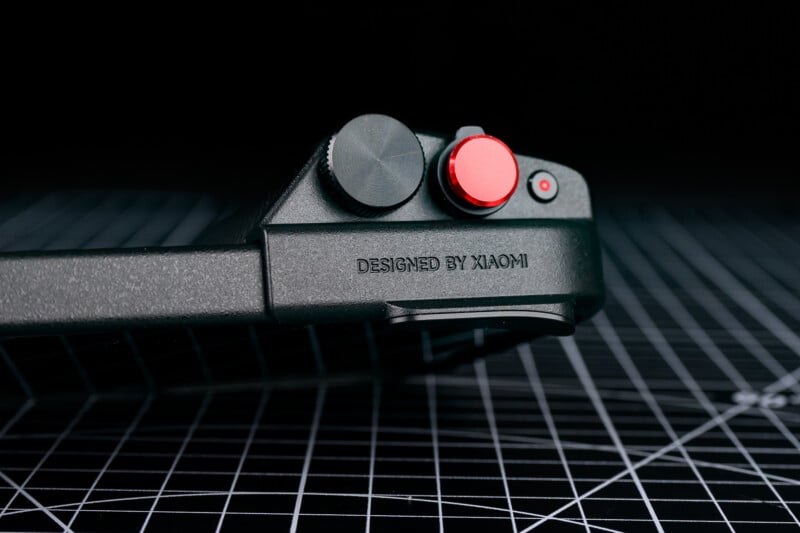
The grip also provides some really nice controls that totally changed the shooting experience for me. The dedicated video record button can be customized to a number of other features, which is great for those who aren’t shooting video (and since the shutter button can activate video capture anyway, it’s not even that necessary for video shooters).
Xiaomi also put a zoom lever on the grip, which works well enough, but is a little laggy and slow to use. I wish I could customize it to change ISO, for example, but it only offers a few different ways of switching between cameras. I just used the touch screen to zoom instead.
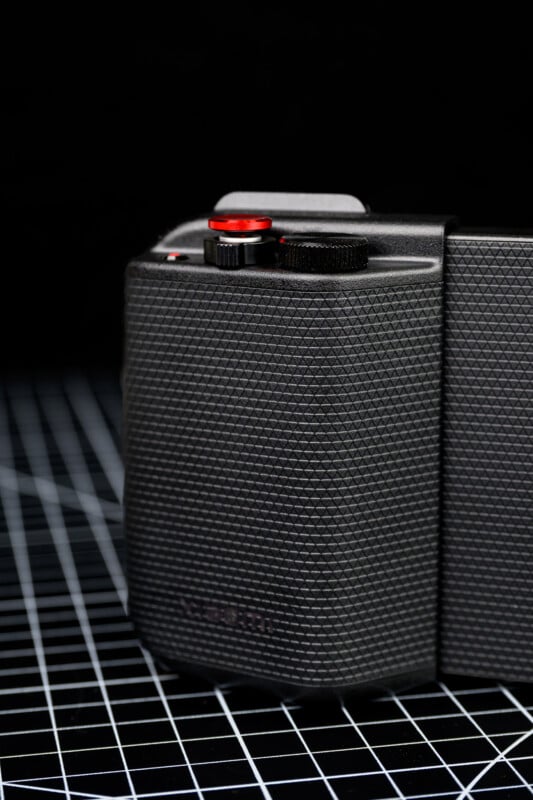
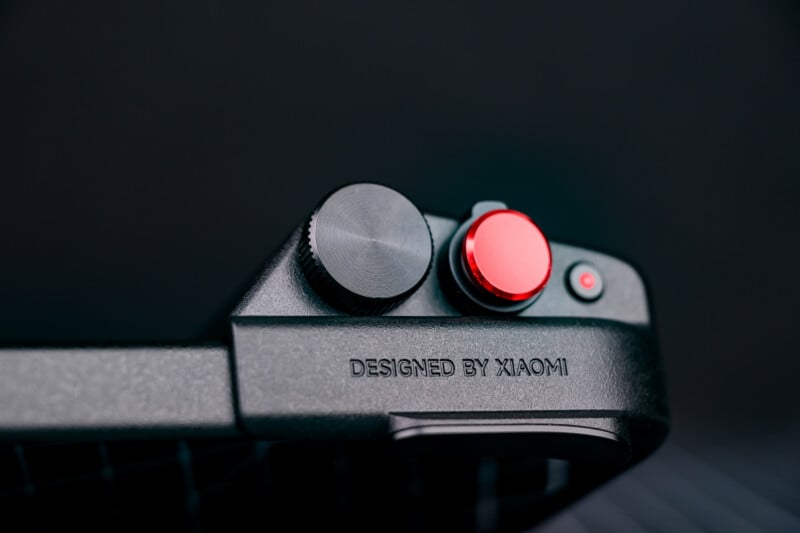
The shutter button is threaded to take a soft-release, and the grip kit comes with both a red and a black one. There is also a really nice command dial, which can be set for many functions. I used it as an exposure compensation dial and loved how it changed the shooting experience into one that is reminiscent of a manual camera.
The grip allows for easy one-handed operation, and I could street-shoot from the hip while having full access to the touch screen controls via my thumb. With the addition of the pro grip, my whole experience was changed, and I wanted to challenge myself to capture photos I would be proud of.


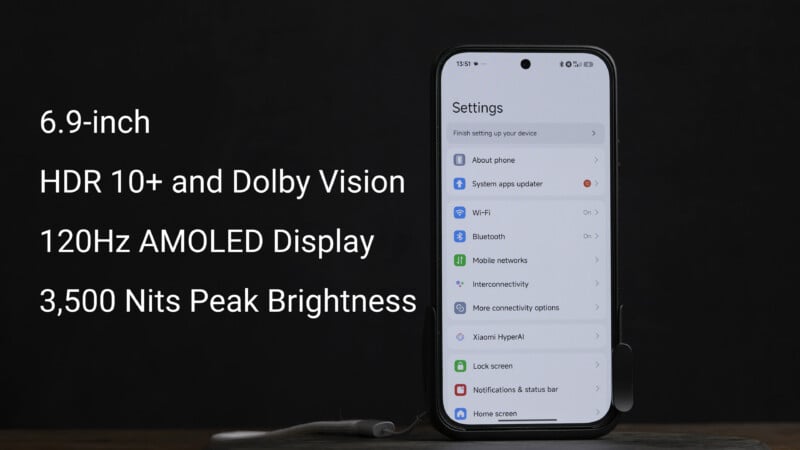
The screen is a very bright OLED that tops out at 3,500 nits peak brightness. I found it perfectly acceptable to use on bright and sunny days.
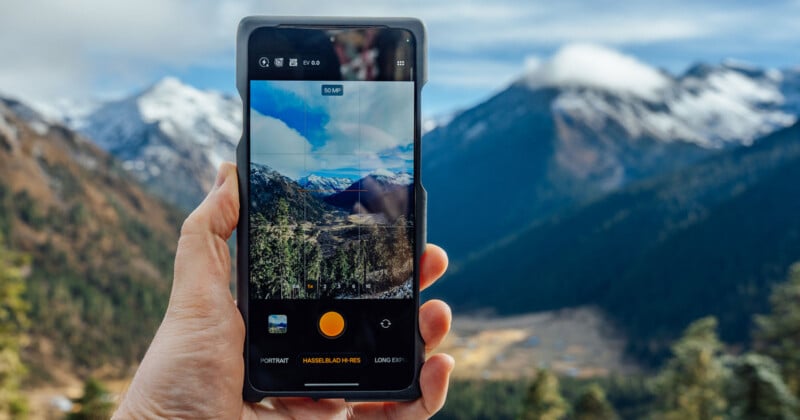
The camera interface is great, and I quickly set my ISO to auto and adjusted my shutter speed manually to suit whatever situation. My thumb could reach all profile controls, zoom ranges, and shooting modes, without having to let go of the grip. I will not pretend that the kit fits nicely into a pocket, but I was able to put the phone in my front pants pocket easily enough and walk around with it.




The phone weighs about 7.7 ounces (219 grams) on its own without the grip, which is slightly heavier than an iPhone 17 Pro Max, to use a phone more Westerners would be familiar with. It will be even heavier with the grip, and this might turn some users off, but I actually preferred the extra weight when shooting because the kit felt better to set up and stabilize photos. The grip also has an incorporated metal thumb rest, which feels really secure. My only complaint is that the touch control for switching to the selfie camera or video modes is very easy to press when holding the grip. I constantly found myself with the camera pointing at me or with the video record screen up, and I hope that Xiaomi will change this soon.



Xiaomi 17 Ultra Review: How It Shoots
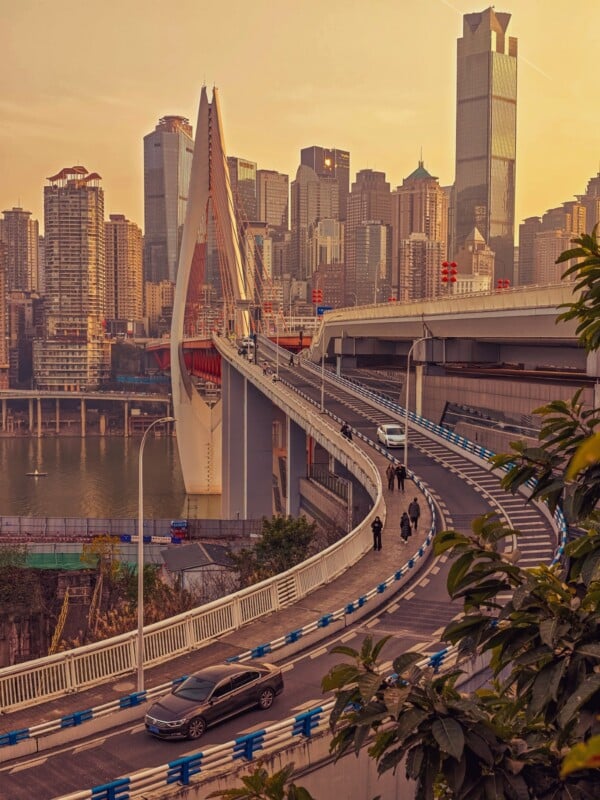
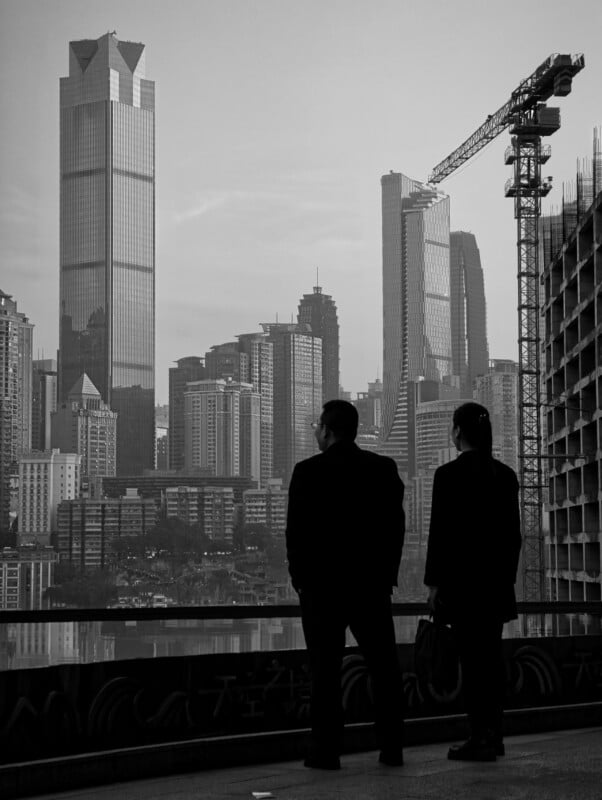
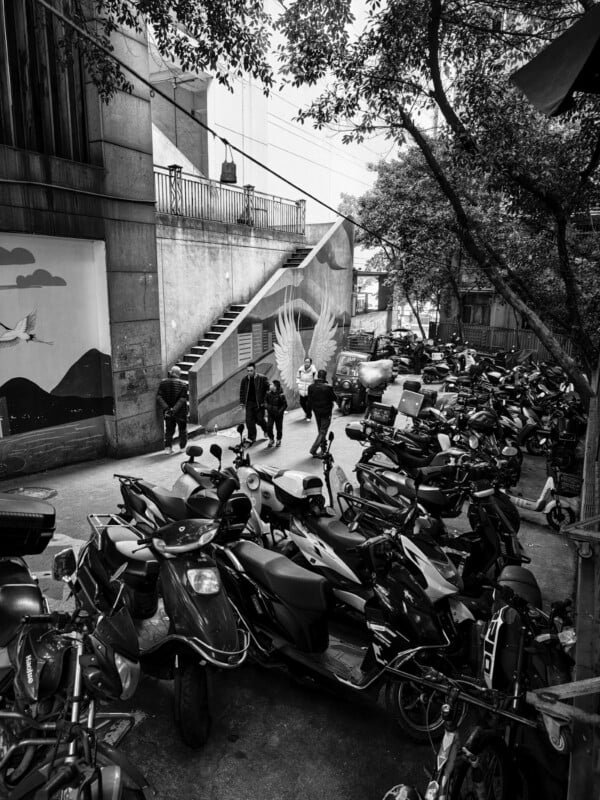
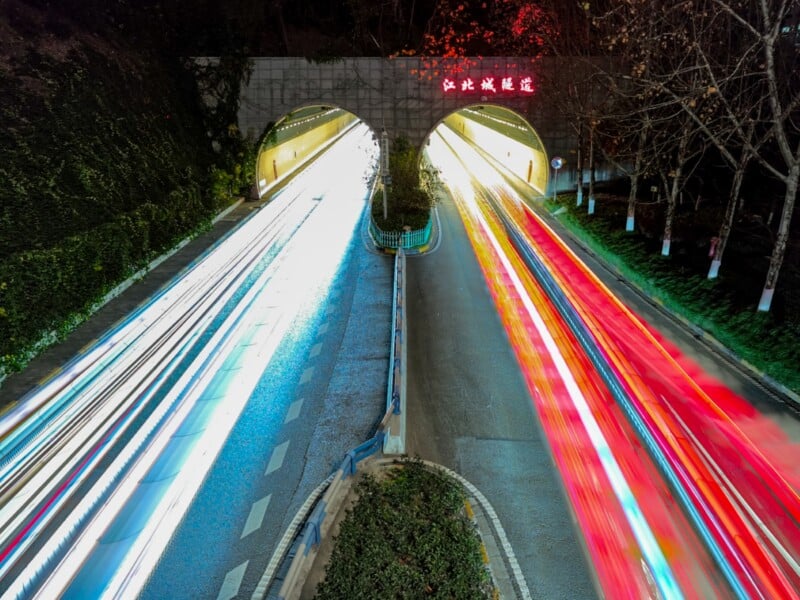
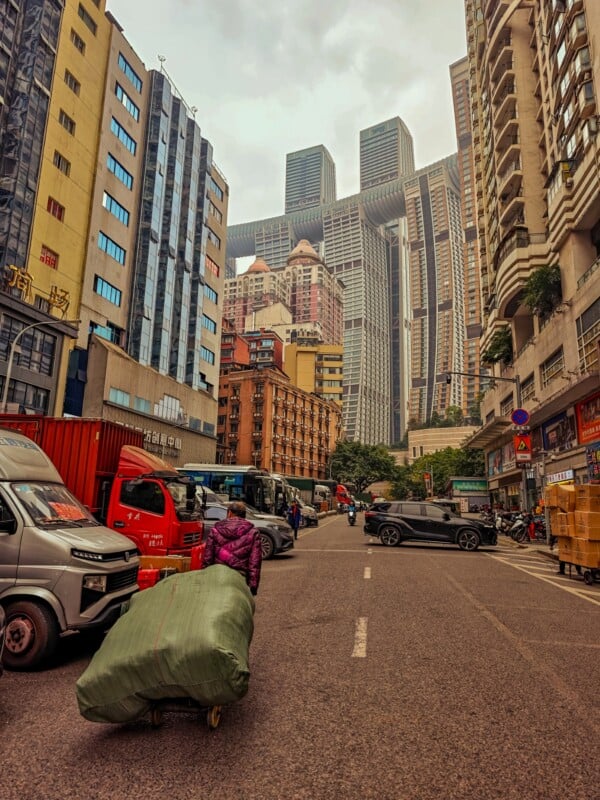
This trip promised such a wide variety of shooting locations that I knew I would end up with thousands of shots to cull. I explored the streets of Chongqing, from its ultra-modern cityscapes to its underground food markets. We also drove up to the mountains on the border of the Tibetan plateau and struggled with altitude sickness while capturing mountain vistas. Finally, some street shooting in the back alleys of Chengdu brought our visit to a close. I shot everything from fast action to portraits, to nighttime cityscapes, and resisted the urge to pull out the Leica M11 that I brought with me. I really tried to dedicate myself to using the Xiaomi 17 Ultra to the fullest.




On the streets of China, I was impressed by the speed at which the 17 Ultra focused. If it saw a face, it would focus on the person, otherwise it would generally choose the closest object. In most situations, it focused close enough to where I wanted, but I do wish there were a way to set a fixed focus point to force the camera to start there. Occasionally, the phone would go to the background or focus on a window frame rather than what was behind, for example, and I would have preferred a predictable focus area that I could focus and recompose from.




I never felt like I missed too many shots, though, and the shutter button was easy to use with almost no delay. I stuck to the Pro shooting mode the entire time because I wanted to have full creative control; however, there is no burst shooting option in the Pro mode, which seems like an odd oversight. Many a time, I would have liked a fast and short burst of an action scene to enhance my chances of capturing the right moment, but oddly, this is only available in the fully automatic basic photo mode.


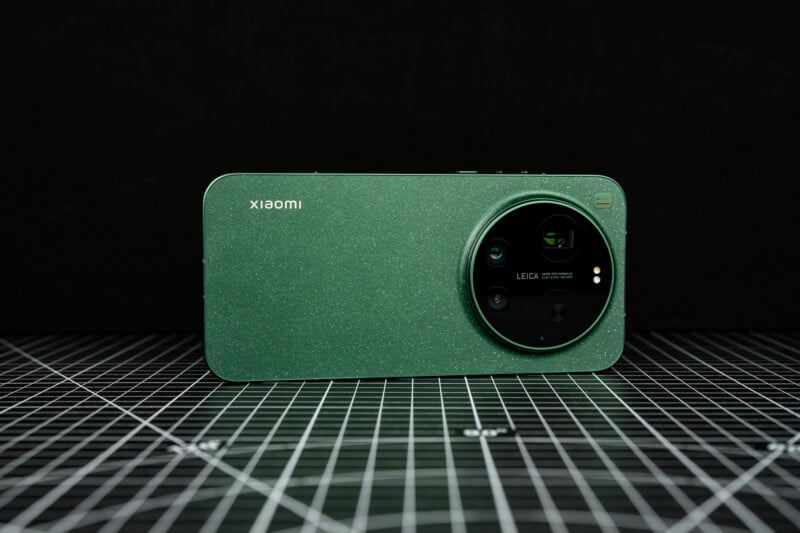
The Xiaomi 17 Ultra has three sensors arrayed within a stylish round bezel. There is an ultra-wide camera, giving a 14mm full-frame equivalent field of view. This lens has a decently fast f/2.2 aperture and a 50-megapixel Type 1/2.88 sensor.
The main camera is one of the standout changes, however, because Xiaomi has placed a 50-megapixel Type 1 sensor behind a fast f/1.67 23mm lens. More importantly, this sensor is a new LOFIC type, or Lateral Overflow Integration Capacitor, which does not stack multiple images together but instead takes one single shot with multiple stages of light-gathering overflow to enhance dynamic range. There is a respectable ability to recover highlights and push shadows, and it is by far the best image maker in the phone, especially when shooting raw DNG files.
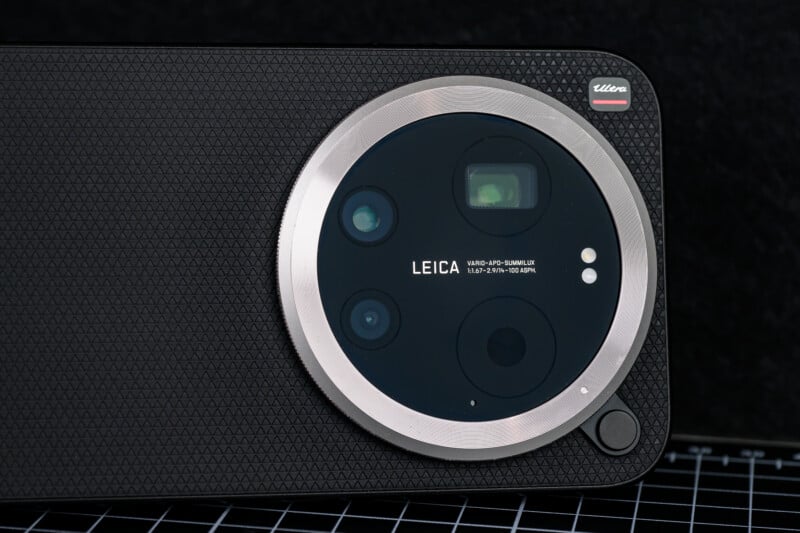




My favorite camera, though, turned out to be the telephoto zoom. It provides multiple focal lengths because it places a Leica-designed and APO-certified zoom lens in front of a 200-megapixel Type 1/1.4 sensor. This lens seamlessly allows for shots from a 75mm to 100mm focal range with minimal light loss. At 75mm, the equivalent aperture is f/2.39, and at the 100mm end, you get an f/2.96 aperture. This is an optically zooming lens, and you can either seamlessly zoom the lens or choose from a few fixed lens ranges.
Like its competitors, the 200-megapixel sensor does not actually provide the level of detail that we would expect out of 200 megapixels. There is much pixel binning and processing, and although you can create an image with 200 megapixels, the process does not offer a RAW file or manual control, and the processing takes a fair amount of time between shots. It can be useful if you have a still and stable scenario, like a landscape, or if you want to crop digitally tight afterward. There is a noticeable improvement in resolution, but I largely avoided this feature.




I enjoyed switching between all of these cameras, but I do have to spell out some issues that the Xiaomi 17 Ultra presents.
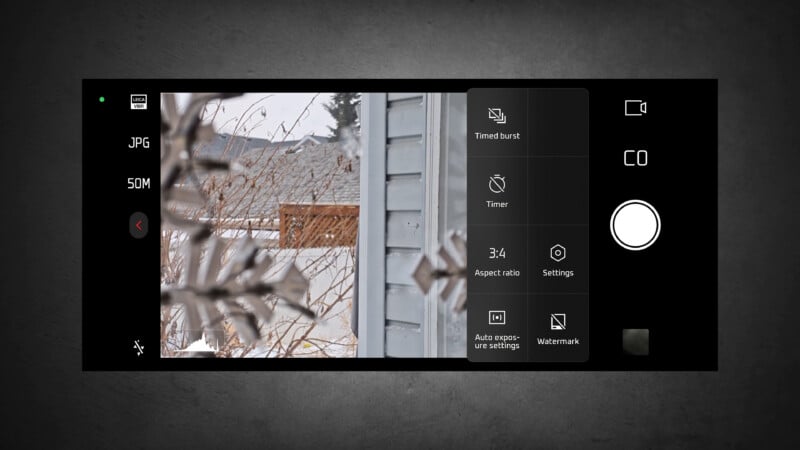
Firstly, I like shooting RAW DNGs to have the most malleability possible. However, only the main camera offers 50-megapixel RAW files. Despite the ultra-wide and telephoto cameras having the appropriate resolution, they can only shoot 50-megapixel compressed files. This means you are stuck with a 12.5 megapixel file if you want to shoot RAW with anything except the main camera.




Furthermore, there is a 2x digital crop of the main camera, which goes to 12.5 megapixels as well. I really like this focal length and wishthe 17 Ultra could do a higher resolution push of this digital camera. I also wish that I could select it at all in the Pro mode, but it is sadly missing. This leaves a big gap between the main camera and the telephoto lenses. The main camera is capable of doing 50-megapixel RAW files, so why not offer a 12.5-megapixel cropped file within the Pro shooting mode?


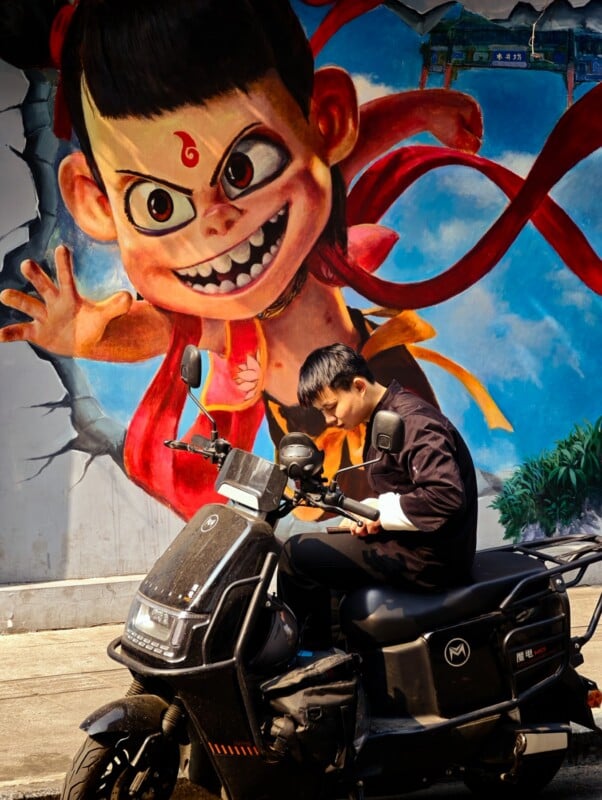
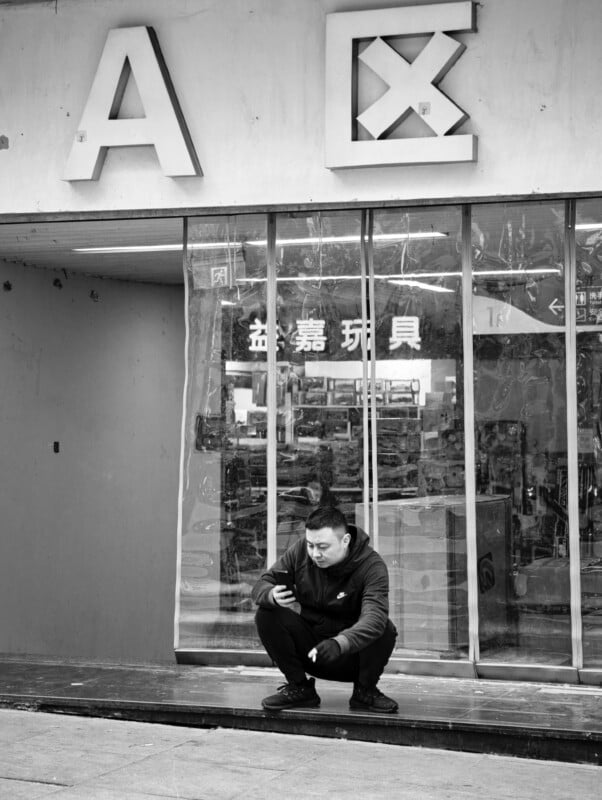
Close-up capability isn’t going to win any awards either. The camera has a super macro mode, which uses the telephoto camera and allows you to have a good working distance from the subject. However, the framing isn’t very tight, and you will likely need to crop much tighter to get decent close-up shots, which will only impress on small screens. The phone can get much closer with the ultra-wide camera, but you have to be on top of the subject, which often means blocking light from reaching the scene.




Overall image quality is quite pleasing, though, with nice colors and predictable exposure. I was especially enamored by the color profiles, which are both stylish and beautiful. I failed to see the major benefit between the two Leica color modes, one being Leica Authentic with lower contrast and saturation, and the other being Leica Vibrant, because the more saturated vivid mode exclusively allows the use of higher resolution JPEGs and Ultra HD modes. I did very much enjoy applying the color filters with the Leica BW modes and Xiaomi Scarlet modes being standouts for me.
Regardless, the images are really nice and quite dramatic if you want them to be, and I happily edited the raw files to my taste as well. There is enough meat here to please more advanced photographers while still offering a simpler experience for more casual users.




Xiaomi 17 Ultra Review: Powerful Video
On paper, the Xiaomi 17 Ultra has some powerful video features. The 10-bit 4:2:0 recording mode features log recording to increase usable dynamic range and grading potential. You even get LUTs built in to the Xiaomi with some really nice-looking profiles. You can even export the 709 LUT out of the phone to use with your favorite editing software, or to apply to existing footage to blend more seamlessly with the Xiaomi footage. The other two LUTs, Classic and Cool, are typically not available outside of the phone, but we managed to get them, and you can download them here and use them on any log footage you like.
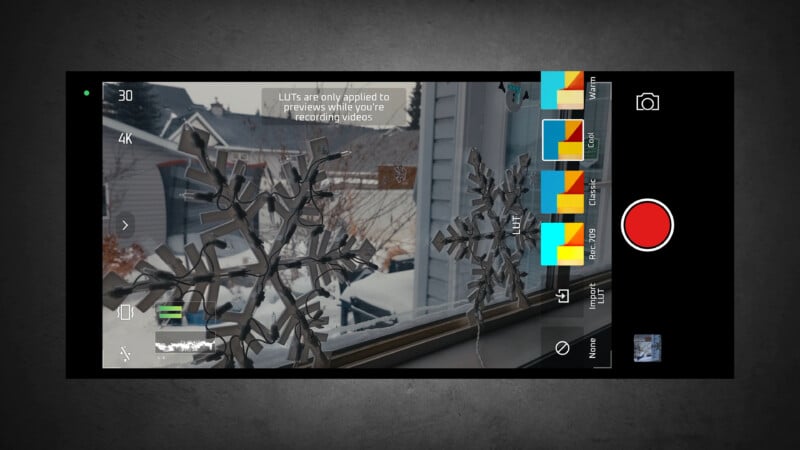
You even get proper waveforms to expose by. One issue that we have seen on other platforms does show up, though. If you use a LUT over your shooting preview, which is a nice option if you don’t enjoy trying to record using desaturated log footage, the histogram and waveform will meter off the LUT and not the log, which means your actual exposure will be wrong. This is exactly the oppohttps://creatorkitdepot.com/ of what we want, so we stuck to metering without using any LUTs. This phone definitely has a lot of strange oversights that need to be addressed in order to unlock its true potential as a video tool.
One of the largest issues seems to be the lack of both 24p and PAL frame rates, which is an odd choice considering the international nature of the 17 Ultra phone launch. You only seem to get record modes that start at 30p and, of course, you get the usual 60p and 120p options as well. North America uses NTSC as well as parts of Central and South America. Most of the Caribbean will be fine, as well as South Korea, and some parts of Japan. So 30p might work ok for these regions to avoid flicker and match up with commonly used footage. However, huge swaths of the world conform to the 25p PAL standard and will be left without a solution for now.
Shooting in mainland China caused all sorts of flicker issues given the nation’s extensive use of the PAL format, and in our video review, much of the Xiaomi footage was unusable, or at best, distracting. In order for this phone to be truly useful on an international scale, we hope to see an update to fix this oversight.

From a creative standpoint, we also love to shoot 24p as a more cinematic-looking alternative to the smoother 30p and 60p use cases. Sadly, this is not an option either, but it should, in theory, be a simple thing to fix. Jaron primarily used the camera in 4K 30p mode to get manual control and log recording, but there is an 8K 30p mode as well. However, you lose any manual control in this mode, and log is also not available, relegating the camera to a fully automatic shooting experience, which does seem to be an odd choice.

Jaron did all the video shooting on the Xiaomi 17 Ultra, and we came to a consensus. We both liked the main camera and telephoto camera, but did not care as much for the ultra-wide look. The ultra-wide camera is fine in brighter conditions, but looks particularly soft in lower light. The other sensors just seemed to give a more cinematic look and certainly shallower depth of field. Like any phone, though, it’s important to note that twilight, dusk, or interior conditions where the light is lower will cause any captured footage to exhibit a loss of detail.
When shooting in lighting conditions with high contrast scenes, the 17 Ultra has a really interesting bonus exposure feature. You can use the Exposure Index (or EI) option, which essentially boosts the value of shadow areas while doing its best not to blow out highlights. This is in addition to all the usual manual controls and can really help when dealing with backlit subjects or in nighttime cityscapes.
As much as we loved the external grip for both the handling benefits and extra battery life, as mentioned, the USB-C port does not work for anything except charging. This means if you want to use an external microphone or SSD, you’ll have to go without the grip. For users who are going to put the phone into a cage for video work, this is no big deal. However, we wanted to shoot on the streets with just a plugged-in microphone, and this meant losing the enhanced ergonomics that the grip normally provides. This is another issue we hope will be fixed.
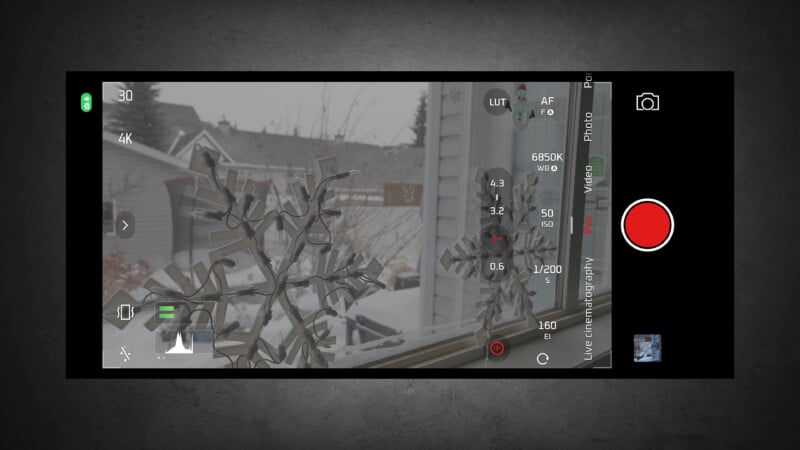
Although the handling of the phone was compromised due to a lack of grip, the excellent image stabilization allowed for walk-and-talk footage, and the 17 Ultra did a great job at smoothing out any bumps while moving with the phone. The main camera provides six stops of CIPA-rated IBIS, while the telephoto camera has five. The ultra-wide has no stabilization.
It’s also curious that a long press on the shutter can be programmed to engage video mode automatically, but you can’t have it go into Pro video mode. So, what should be a quick-start solution to immediately begin shooting instead demands an additional button switch to get going.

If you want to do some fun slow-motion video, the setup is fairly automatic, but you can do 4K at 120p or even 1080p at a ridiculous over 1980 frames per second. This super slow-motion feature is a speed ramping setup that can’t be adjusted, so the video clip will play at regular speed and then drop down to a very slow frame rate. This feature is clearly aimed at casual users who want a dramatic-looking shot for social media, but it will disappoint power users. There is no way to change when the speed drops, and the quality is poor due to digital frames being generated to create the slow-motion effect.
The Xiaomi 17 Ultra also has a directional microphone setup so that vloggers can set the microphones for front or rear pickup, or a more general-purpose omnidirectional pattern. As with most smartphones, the built-in mics are fairly poor and best used for capturing family memories or rough social media posts.
There is plenty to enjoy about the Xiaomi 17 Ultra video experience. The high-end stuff that often gets left out is all present here, and we were happy with the overall quality of the footage. Stability is excellent, and the manual controls allow for some real creative decision-making.
But this phone does still have a lot of issues that are not really hardware-based, and these create frustration. Luckily, these issues are mostly what we would call quality-of-life improvements and should be fixable with some future updates, should Xiaomi choose to take them on. If this phone gets the updates we hope for, it will be a formidable video that will give the iPhone a run for its money.
The Xiaomi 17 Ultra Gave a Real Photographic Experience
I can state a few important truths after using the Xiaomi 17 Ultra across China. The country itself is stunningly beautiful, with so many interesting scenes to photograph, and I’ve only scratched the surface. I would never have considered using only a smartphone to document such a rare and important trip, but I never felt like the Xiaomi 17 Ultra was holding me back from capturing stunning images that I would be proud of.
The ideal combination of the 17 Ultra, the grip, and the trio of effective cameras made the smartphone shooting experience as close to a mirrorless system camera experience as I’ve ever had.
I felt like I could be creative, I loved the color, and the phone was fast enough to capture most scenes I came across. It was an eye-opening experience all around, and it makes me want to revisit other smartphones if I can find a grip that works as effectively as Xiaomi’s did.




It wasn’t all perfect, of course, as we’ve explained. However, it is clear to see that both Jaron and I found enough potential to want to invest our time and effort into seeing this platform get even better. If Xiaomi can manage to add some of the changes that we are asking for, an excellent overall shooting experience would become even better.
Regardless, if you are interested in the Android smartphone world and would like to have the closest experience to shooting with a proper camera, the Xiaomi 17 Ultra is the best I’ve come across.
Are There Alternatives?
Certainly, phones like the latest Apple and Google models can take beautiful images and feature updated cameras and lenses. However, I feel like using a different app to control the photo interface and finding an appropriate grip to use with these phones would take a bit of experimentation and frustration to find.
The Xiaomi 17 Ultra is the best experience straight out of the box that I’ve seen. It’s worth pointing out the myriad of excellent Chinese smartphones that I simply have not had opportunities to test.
Should You Buy It?
Yes. But the question of availability will vary widely across North America. For the rest of the world that will easily have access to this product, the Xiaomi 17 Ultra feels and delivers like a real camera.