
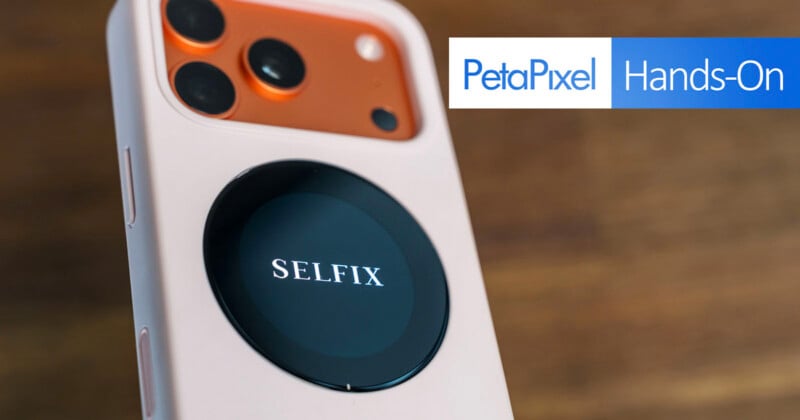
If you ask me, some of the worst smartphone photos are those people take with front-facing cameras. Smaller sensors, smaller lenses, and fewer resources are big reasons why, and as rear cameras continue to evolve (some more than others, anyway), products are released to encourage users to turn their phones around and use the rear lenses instead.
Dockcase’s Selfix isn’t yet a fully finished product, as it’s going through a crowdfunding campaign first, but it aims to offer an alternative to front-facing cameras via a rear circular display. I’ve been using it to see how well it works. It’s up against growing competition, not just from devices already on the market, but also from convincing users to adopt such a solution in this form.
A Rounded Screen in a Rectangular Peg
The Selfix is a case that doubles as storage expansion via a microSD card slot. Dockcase made this first iteration solely for the iPhone 17 Pro and 17 Pro Max. It doesn’t have a built-in battery, though sliding the iPhone onto the case’s own USB-C plug means the phone’s battery ultimately powers the rear screen. The case’s USB-C port underneath offers passthrough charging for the phone itself, negating any need to slip out of the case.
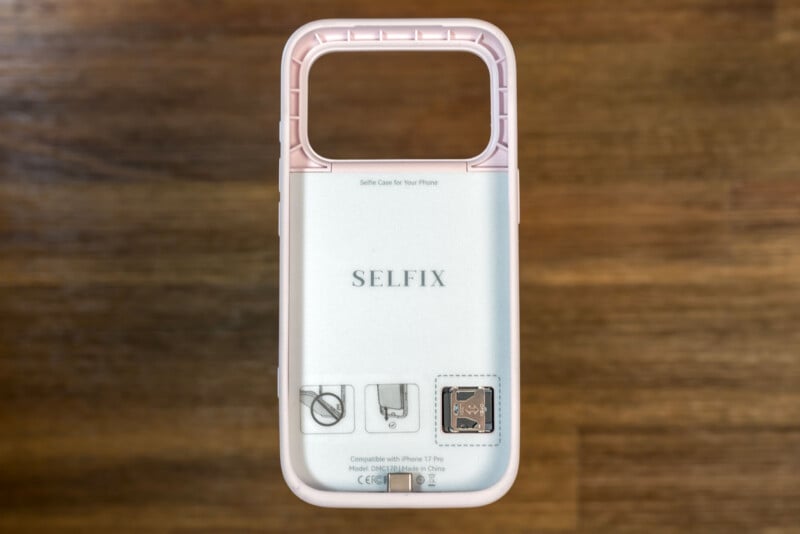
So, while the main draw is that you can use the rear screen to take selfies with the higher-quality rear cameras, Dockcase is betting that being an actual protective case and offering a card slot make Selfix stand out. It’s not an attachment like the SmallRig Wireless Video Monitor or Insta360 Snap Selfie, both of which utilize MagSafe to stay attached to the iPhone.
In this case, you have a thicker silicone case with a 1.6-inch rounded AMOLED touchscreen display (480 x 480) placed smack dab over the MagSafe coils in the phone underneath. The magnet is still strong enough to attach MagSafe accessories, but the increased distance between the coils and a wireless charging surface prevents the iPhone from being recharged that way. That includes portable MagSafe chargers as well, even if they can stay attached to the back.
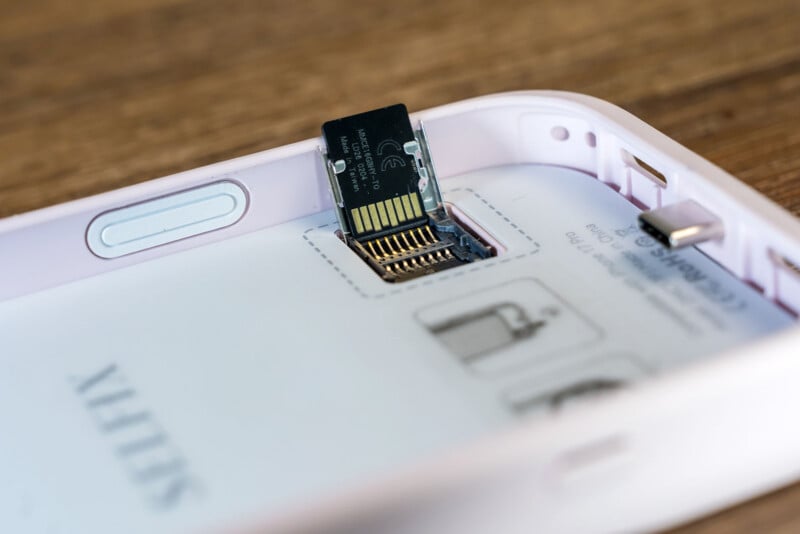
That introduces caveats off the bat, though maintaining MagSafe magnet access is nothing to scoff at, in my view. Then there’s the microSD card slot, which supports UHS-I cards (Class 10, U3, V30) up to 2TB, and acts as an onboard storage expansion not unlike plugging in an external SSD. The catch is that iOS limits how expandable storage ties in to features in the iPhone.
For example, iOS only allows ProRes video to record directly to external storage. You can’t save photos or standard videos directly to the card, leaving you only the option to use the iPhone’s Files or Photos apps to transfer or back up image files after first saving them to the phone’s internal storage.
Using the Selfix for Selfies
Turning on the Selfix is as easy as pressing and holding the case’s power button below the phone’s volume buttons. It doesn’t use a dedicated app, and it doesn’t require firmware updates to work with compatible iPhones, though you do need to make a few software adjustments to activate the rear screen’s features. Under Settings > Accessibility > Touch, turn on AssistiveTouch and then add it to the Control Center.
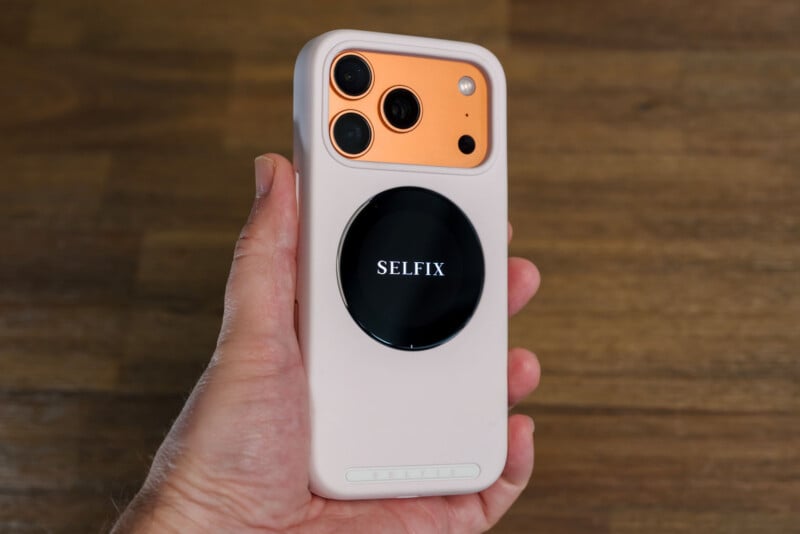
Doing this makes it possible to control the Camera app’s onscreen controls from the rear display — at least those you can actually see. It’s easy enough to tap to focus, but the rest requires some memory on your end. You tap on the tiny numbers at the bottom edge of the screen to switch between the three rear cameras. Swipe left or right to adjust the zoom level. Swipe down to lock the zoom. Take the shot by either pressing the volume button, which acts as the shutter, or the in-app shutter to take a selfie. You generally have to use the main screen to switch modes.
Since the Selfix’s rear display is basically mirroring the iPhone’s own screen, simply pressing the Selfix’s own on/off button switches the horizontal orientation. From there, it’s pretty easy to frame oneself with that circular display and snap selfies. I just find it’s easier to do so when said selfies are solo shots. Add one, two, or more people for a group photo, and you need a longer arm to make sure everyone is in frame, unless you use the ultra-wide lens.
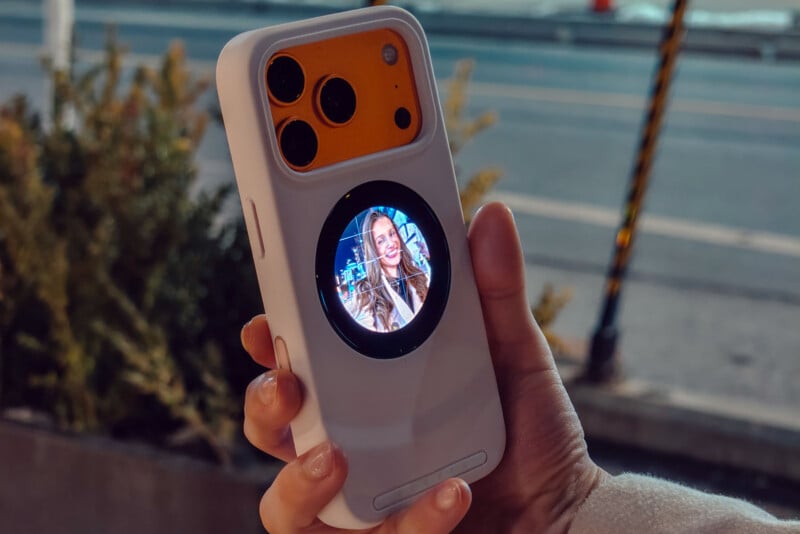
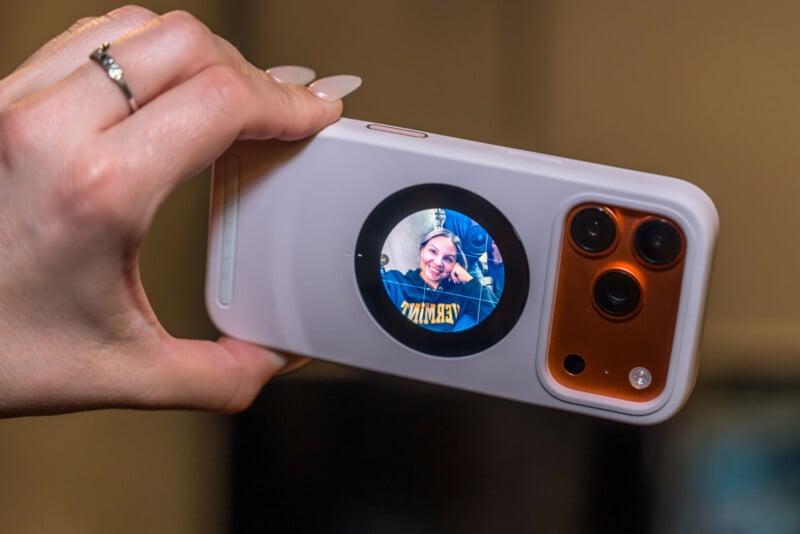
Tilting the phone in landscape orientation leads to some weird situations. If you do it right after launching the Camera app, it rotates and looks normal. Click the button, however, and it flips it upside down. Leave the app idle for a short while (I can’t be certain how long), and tilting into landscape keeps the rear screen locked to portrait orientation.
I asked Dockcase why this happens, and they responded, noting that the Selfix still has limited optimization for landscape mode, suggesting enabling rotation lock on the iPhone before switching. This does seem to do the trick as a workaround, though clicking the button still flips upside down rather than horizontally.
Working With Others
The more I used the case, the more nuances popped up. For instance, Dockcase optimized Selfix to work with Apple’s own Camera app, leaving it in murky territory with third-party apps. They technically work because the case merely mirrors the phone’s screen, except you have no real control over the settings from the rear. The volume button works as a shutter, but that’s about it.
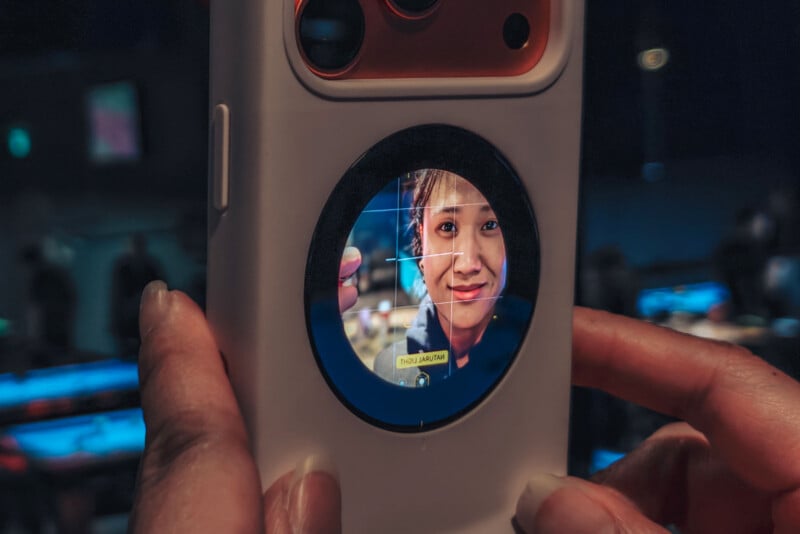
That’s not all bad, from my vantage point, mainly because the rear screen acts as a rear monitor of sorts when trying to take a photo from a tight angle or as a more elaborate selfie. Moreover, even though it’s not truly optimized for video, mirroring makes the rear screen a useful live monitor. It’s just that the smaller circular display isn’t as effective for that as the rectangular screens SmallRig and Insta360 have.
Those two competitors have the advantage of catering to Android users as well. They’re agnostic and work just fine with any Android phone, particularly those that also have MagSafe support (either built-in or via a case). That also extends support to iPhones going back to the iPhone 12, thereby making the Selfix considerably more exclusive by comparison.
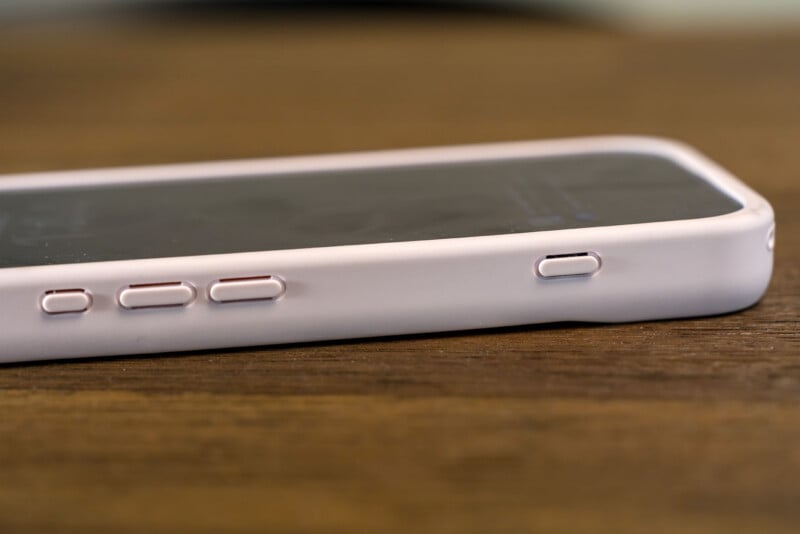
However, despite being a case that docks into the iPhone’s USB-C port, it still has a separate charging port. It doesn’t take up the phone’s USB-C port like the Insta360 Snap Selfie or require recharging as often as the SmallRig Wireless Video Monitor.
Speaking of which, Dockcase builds in some battery-saving tech into this. The screen dims after one minute of inactivity, sleeps after five minutes, and then powers off fully after 10 minutes. The case tends to run warm and get hotter over time, so I got into the habit of turning it off when I was done using it.
Selfix supports PD 3.0 and 45W charging. Interestingly, Dockcase calls out some Anker chargers and multi-port chargers as having “compatibility issues due to adaptive power protocol switching.” Thus, it recommends using a single USB-C port charger or a non-Anker charger for best performance.
Coming Soon
The Morganite Pink variant Dockcase sent me is clearly the most effeminate of the trio, which also includes Onyx Black and Satin White. For now, the company will run with a Kickstarter campaign to fund the initial batch set for May 2026 before launching to broader retail at some point afterward. The case is selling for $79 to early backers with a projected retail price of $129 to follow.
Disclaimer: Make sure you do your own research into any crowdfunding project you’re considering backing. While we aim to only share legitimate and trustworthy campaigns, there’s always a real chance that you can lose your money when backing any crowdfunded project. PetaPixel does not participate in any crowdfunding affiliate programs.
To hold projects accountable, all crowdfunding campaigns on which PetaPixel reports are financially backed with the lowest tier option in order to give the publication visibility into all backer-only communications. If a campaign owner acts in a manner inconsistent with its promises, PetaPixel will share that information publicly.